Practicing engineers
Keep the brief, design outputs, revision history and project documents connected through review and handover.
Engineering project workspace
Keep the brief, design submissions, review actions and project documents together. Complete design work in your specialist tools, then bring the files into Enginuity to coordinate review, construction and handover.
Find your role and the work this tool can help with.
Keep the brief, design outputs, revision history and project documents connected through review and handover.
Coordinate submissions, responsibilities, review actions and agreed deliverables without losing the earlier versions.
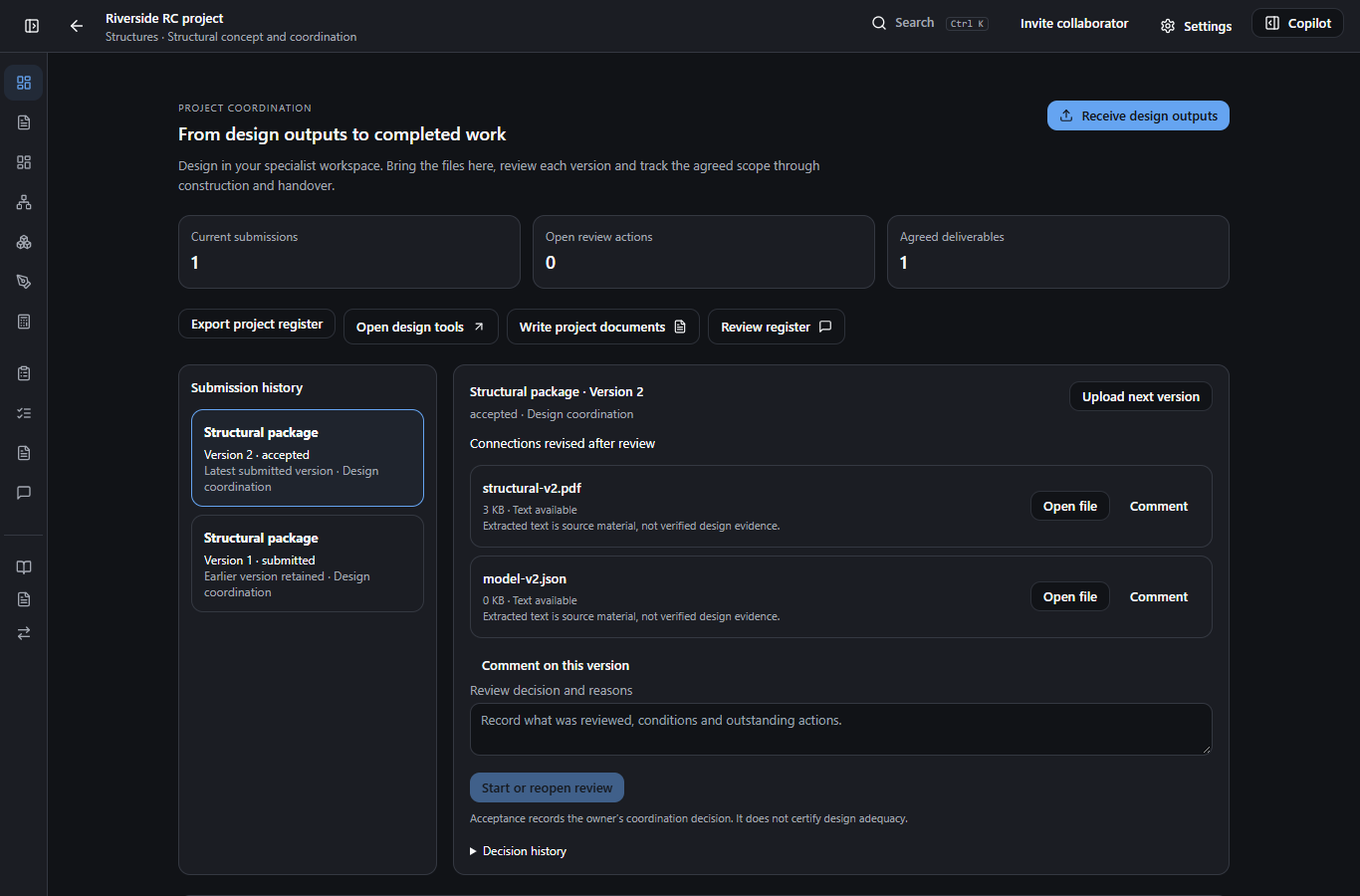
Keep the project, its evidence and its decisions together.
Record the brief, design basis, responsibilities and agreed deliverables.
Complete the design in its specialist application and receive the existing reports, drawings and models as a versioned submission.
Review the exact files with colleagues, respond to actions and retain earlier versions when the design changes.
Prepare project documents, link reviewed evidence to the agreed scope and carry the record through handover.
Design and engineering verification remain in the specialist tools and with the responsible engineer. Project acceptance records a coordination decision, not a certification of adequacy. Copilot proposals require human review; available workflows depend on the account and deployed workspace release.
Continue with the related task. Each tool has its own inputs and review requirements.
Check the supported methods and outputs. If you need help deciding, tell us what you’re working on.