Mechanical engineering
Check the part. Understand the machine.
Work through shaft loads, bearing life and bolted joints without building another spreadsheet. Check plant energy use and prepare clear system diagrams.
Find mechanical tools →Tools for engineering work
Start with what you need to do. Each product page explains the task, who can use it and what to check before using the results.
Built for the work you do
Start with your discipline. Find a practical calculation, a visual model or a clearer way to explain your design.
Mechanical engineering
Work through shaft loads, bearing life and bolted joints without building another spreadsheet. Check plant energy use and prepare clear system diagrams.
Find mechanical tools →Electrical & electronics engineering
Check cable sizes and voltage drop, compare motor starting methods and review earthing. Explore circuit and control responses, then communicate the system with a diagram.
Find electrical tools →Civil & structural engineering
Model trusses and frames, review foundations, follow rainwater through a drainage network and compare road layouts. Make the model and its results easier to inspect.
Find civil tools →Bring design files, revisions, review actions and project documents together.
See the project workspace ↗Work through shafts, bearings, springs and bolted joints.
Find mechanical tools ↗Check cables, voltage drop, earthing and motor starting.
Find electrical tools ↗See member forces, support reactions and movement.
See Truss Lab ↗Connect blocks and see how a system responds over time.
See Signal Flow ↗Follow rainfall through pipes, channels and storage.
See Drainage Lab ↗Review footing size, soil checks and reinforcement.
See Foundation Design Lab ↗Explore traffic queues, junctions and signals.
See Traffic Flow Lab ↗Keep project test readings and results together.
See Test Lab ↗Find calculations for machines, circuits, structures and manufacturing.
Find a calculator ↗See the available products below. Full modeling tools require Premium; calculator access varies by tool.
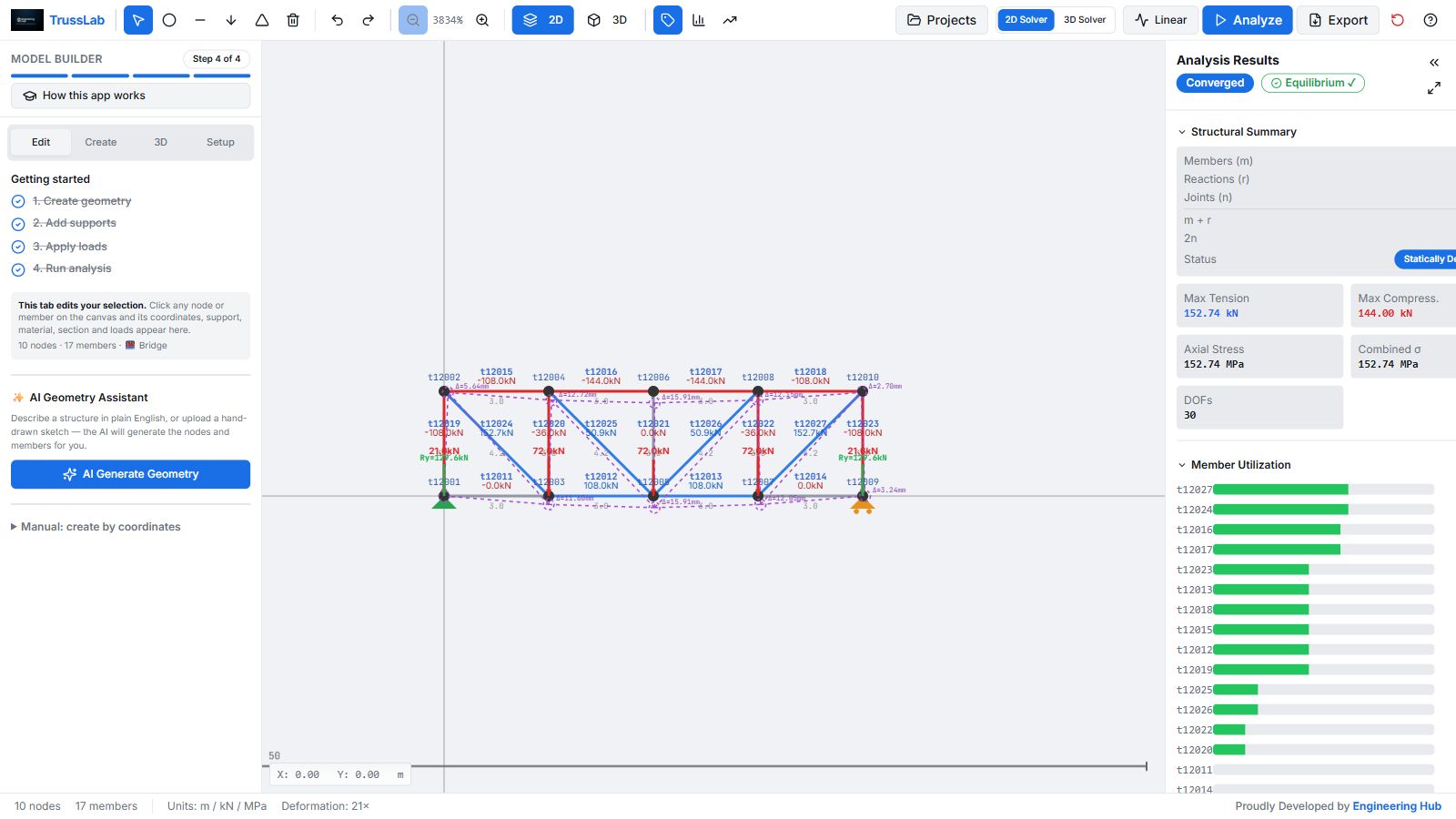
Structural analysis
See how your structure carries its loads.
Build a truss or frame in 2D or 3D. Add supports and loads, then see the forces in each member and how the structure moves.
See what Truss Lab does →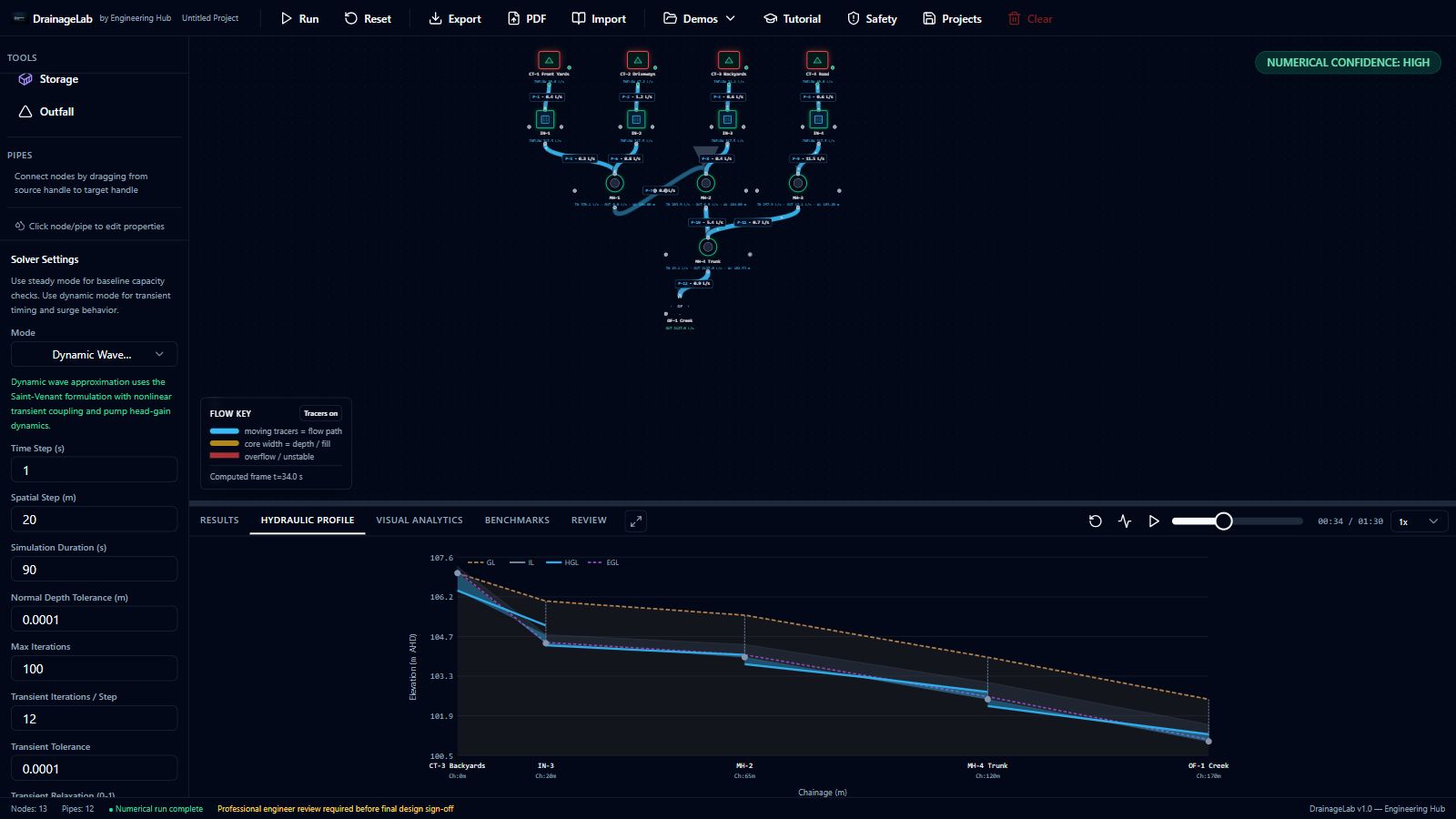
Drainage & hydraulics
See where the water goes.
Draw a drainage network and explore how rainfall moves through pipes, channels and storage. See water levels, flow and areas that need a closer check.
See what Drainage Lab does →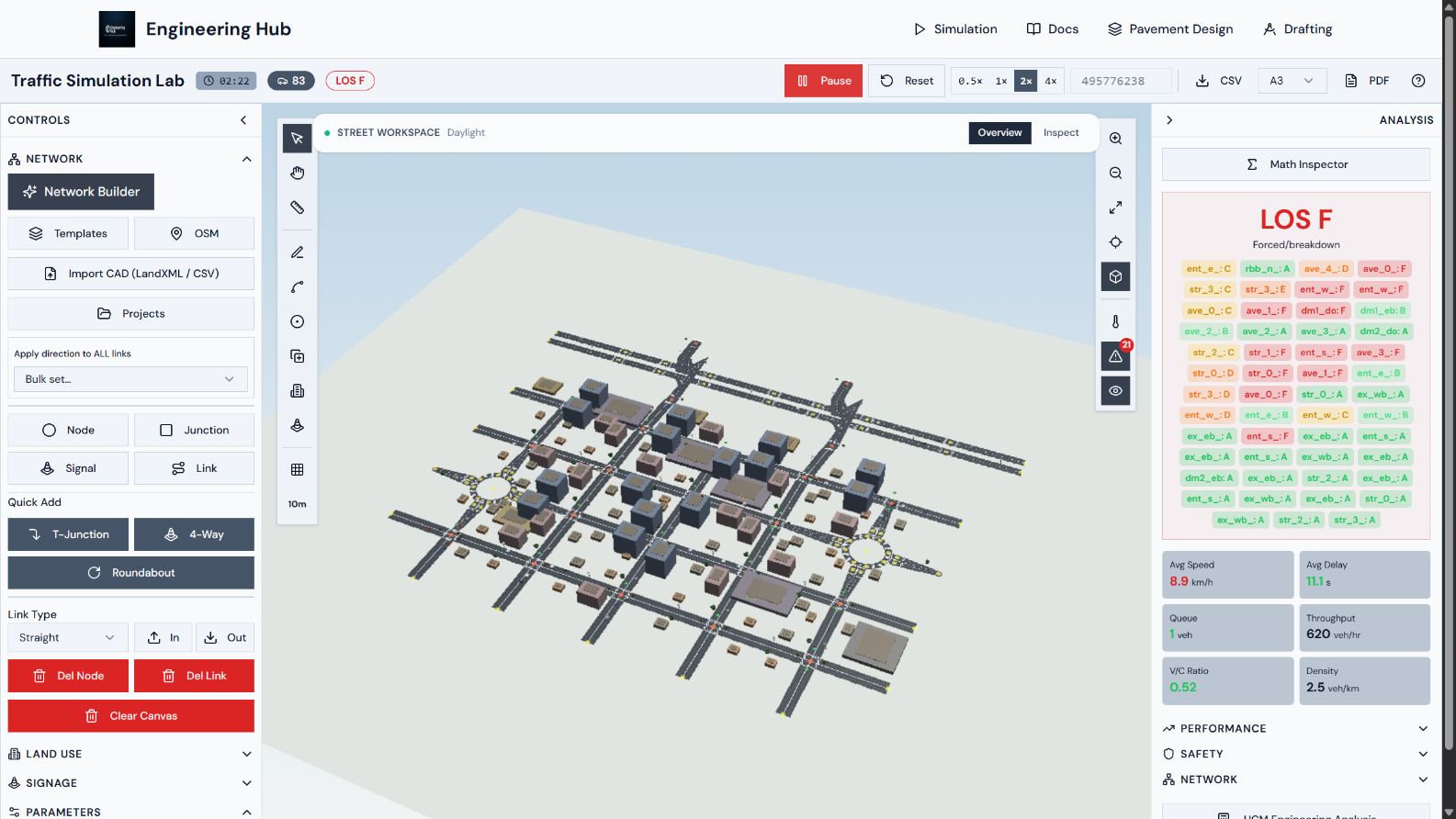
Transport simulation
See how traffic moves through your layout.
Build a road network and compare how junctions, signals and demand affect queues, delay and traffic flow.
See what Traffic Flow Lab does →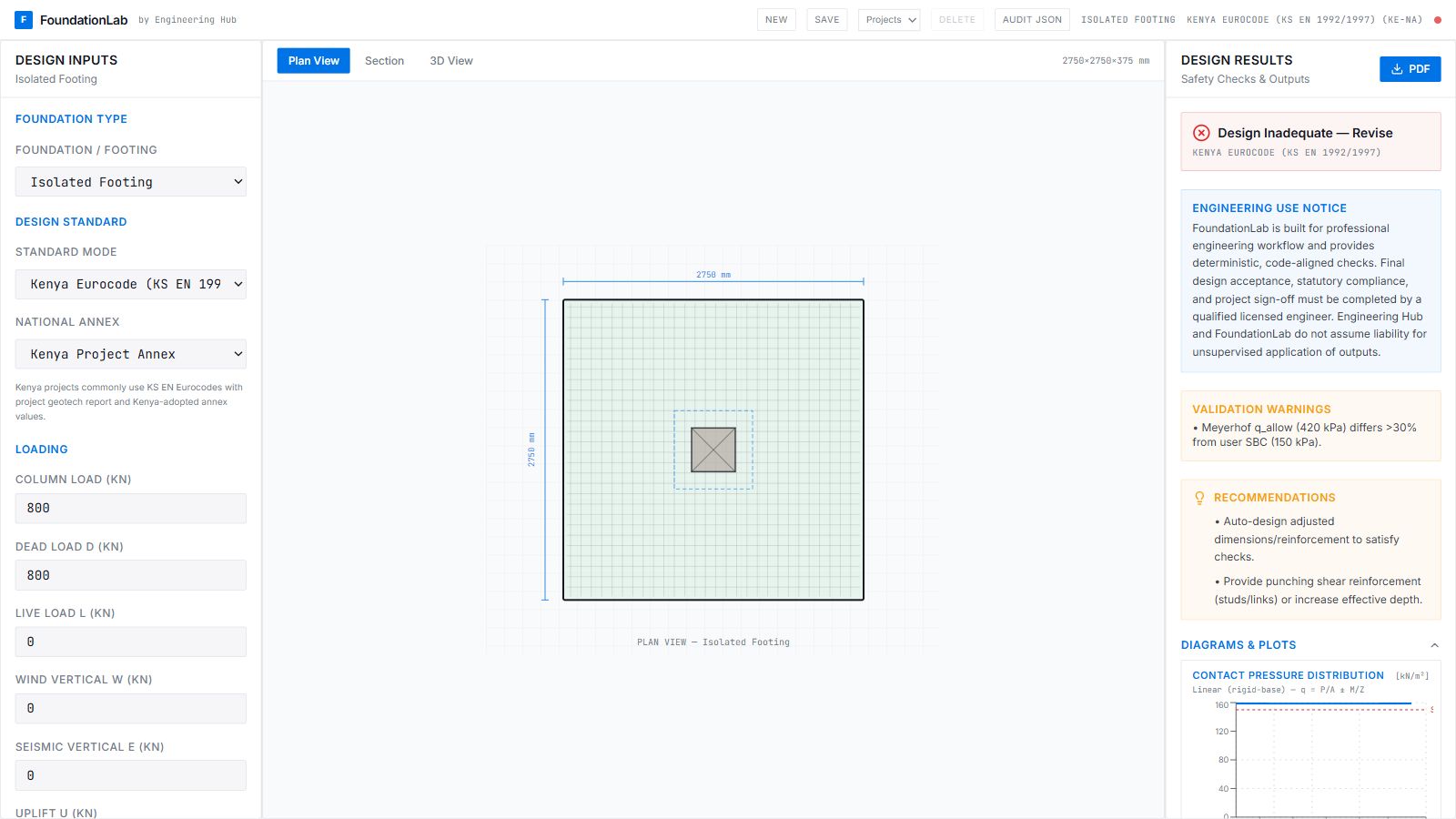
Structural & geotechnical
Check the foundation beneath your design.
Set out footings, rafts or pile caps. Enter building loads and soil data, then review foundation size, reinforcement and design checks.
See what Foundation Design Lab does →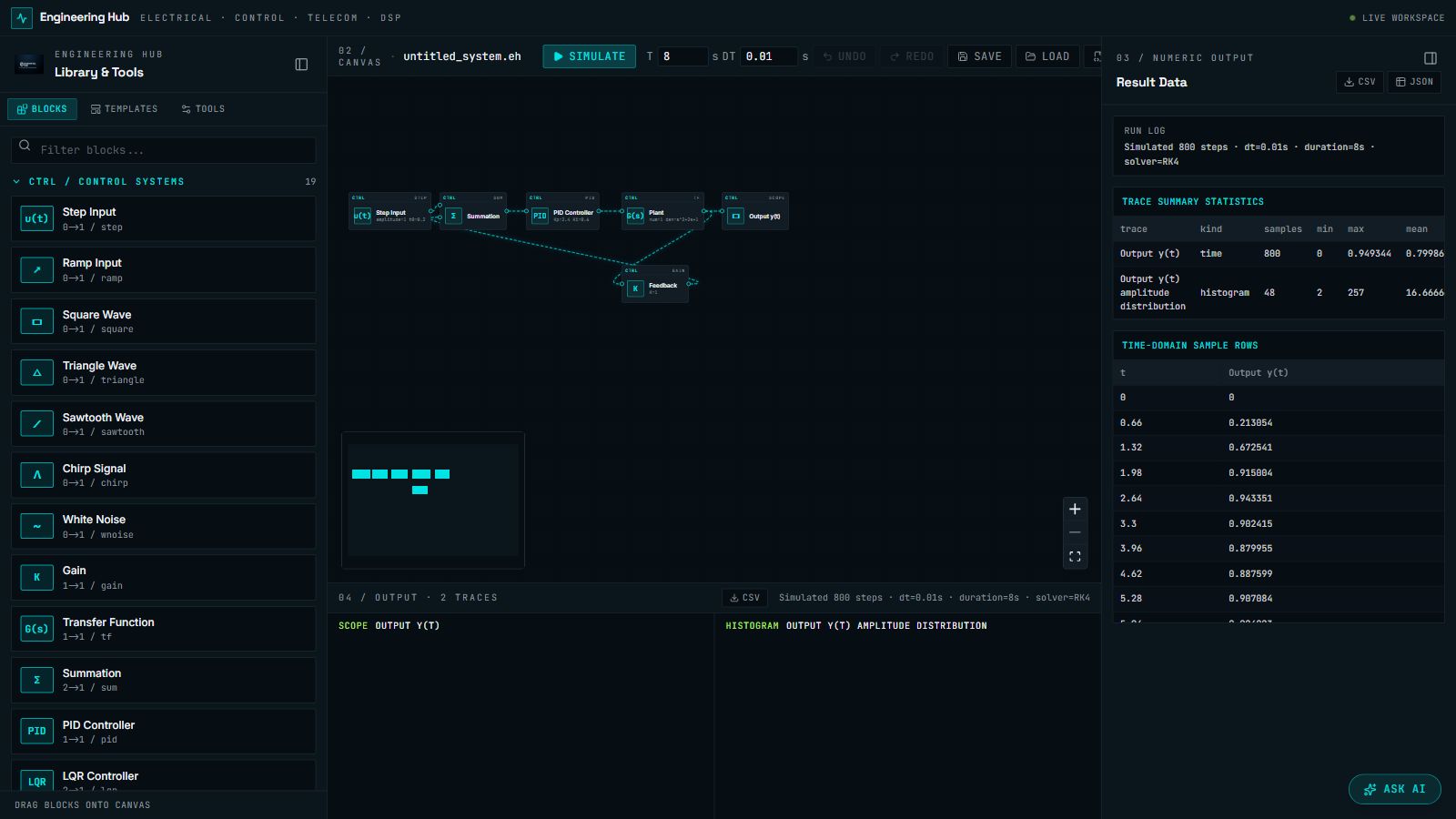
Control, electrical & DSP
See how a system responds.
Connect control or signal blocks, run a simulation and inspect the results. Explore feedback loops, electrical circuits and signal processing.
See what Signal Flow does →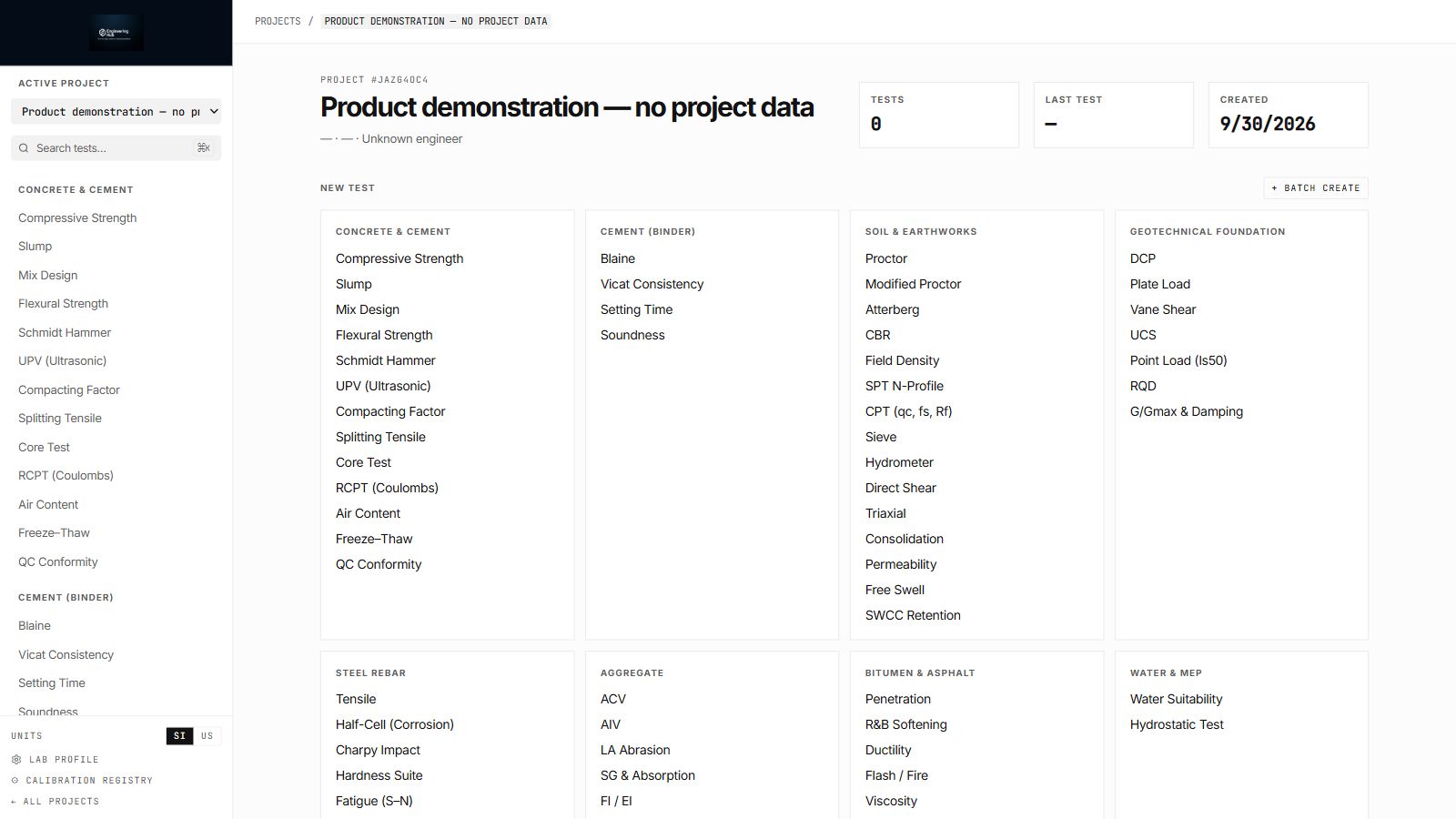
Materials & laboratory workflows
Turn test readings into organized results.
Keep materials tests together by project. Enter measured readings, review calculations and maintain laboratory and calibration records.
See what Test Lab does →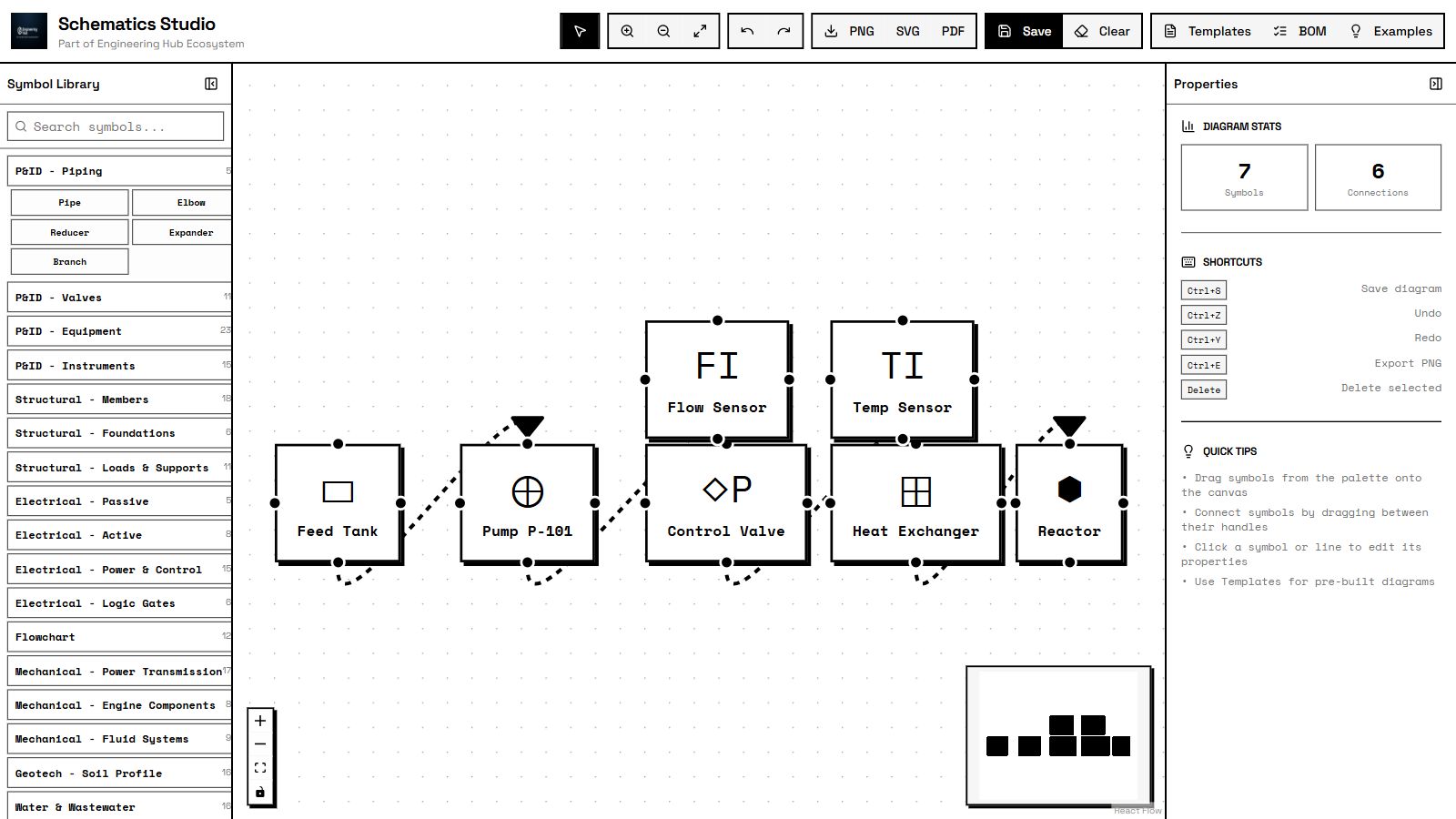
Engineering diagramming
Explain your system with a clear diagram.
Draw engineering diagrams with ready-made symbols. Connect components, edit their properties and export the drawing for your team.
See what Schematics Studio does →Start with your project information. See the calculation, check the result and prepare your handoff.
Enter the dimensions, materials, loads or measured readings your task needs.
Choose the method and calculate using the values you entered.
See the model, diagrams and numbers. Review assumptions and warnings.
Use the reports and file exports available in the tool you chose.
For engineering firms & corporate teams
Tell us what your team needs to calculate, model or review. We’ll help you choose the tools, check the fit and discuss access for your team.